QR Code
QR Code generator
The QR Code generator makes scannable plates and signs: keychains, pet tags, plant markers, table and counter signs, tent cards, coasters, Wi-Fi cards, business cards and paint stencils. It encodes web addresses, text, Wi-Fi logins, contact cards, emails, text messages, phone numbers, WhatsApp chats, map locations and calendar events in the standard formats phones understand.
Style the code the way online QR designers do: eight module styles, and the corner eyes' frame and centre in their own shapes. Add a header picture (review stars, a menu, Wi-Fi, a camera, a map pin, a payment card, the contactless tap sign…), a label, a centre logo and a frame, on a plate shaped as a rectangle, circle, arch, hexagon, shield, speech bubble, dog bone or plant stake.
Stand it up: tabs into a slotted base, two feet with slots that lean it back toward the reader, a tent card folded on a living hinge with the code on both sides, or holes for screws and standoffs. Choose how it is made: engraved; cut through a light top plate over a dark backplate; or cut as a stencil with bridges, so no part falls out.
Every design is checked: module size for the output, the clear space around the code, the size of a centre logo against the error correction, stencil bridges, holes near the code and stands that would tip over.
Content
What the code holds: a web address, text, Wi-Fi login, contact card, email, text message, phone number, WhatsApp chat, map location or calendar event.
Code
Size, error correction and the look of the modules.
Output
How the code is made: engraved, cut through a top plate over a contrasting backplate, or cut as a paint stencil.
Plate
The plate around the code: shape, border, corners and an optional frame.
Label
Text next to the code, such as “Scan for the menu” or a name.
Centre logo
A small picture or initials in the middle of the code; error correction rebuilds the modules it covers.
Header picture
A picture above the code that says what it is for, like the icons on shop-counter and table signs.
Stand or mount
How the sign stands on a counter or table, or hangs on a wall.
Keyring hole
A hole to hang the plate on a keyring or hook.
Cut-out pattern
A decorative pattern in the plate's border, round the code: on the plate, or on a layered plate's top or backplate (showing through the top's openings). The code and its quiet zone stay solid, so it still scans; widen the border for more room.
Presets
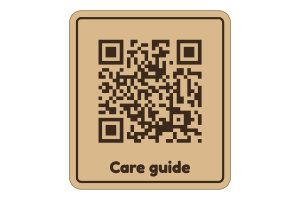
- Product care plaque: 70 mm code linking to product care instructions; replace the example URL..
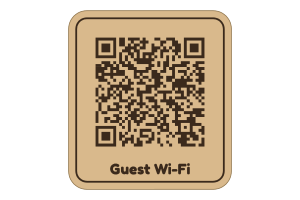
- Guesthouse Wi-Fi plaque: 72 mm guest Wi-Fi code without a logo; enter your own network credentials..
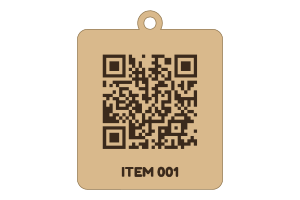
- Workshop inventory tag: 38 mm code with an ITEM 001 label and keyring tab; edit the example URL..
- Keychain: 30 mm engraved tag with a keyring tab.
- Table sign: 90 mm menu code with a frame and “Scan for the menu”.
- Coaster: 100 mm round coaster, cut out over a dark backplate.
- Wi-Fi card: Guests scan to join; Wi-Fi logo and network name.
- Business card: Contact card: scan to save the details.
- Paint stencil: 120 mm stencil with bridges, to spray a code on a wall or crate.
- Scan me sign: Viewfinder corners and a SCAN ME bar.
- Table menu: Scan for the menu, in a bar above the code.
- Review sign: Five stars and “Leave us a review” on an arch in a slotted base, for the counter.
- Menu tent card: Folds on a living hinge; the menu code reads from both sides of the table.
- Scan or tap to pay: Counter sign on two feet, with a tap picture for an NFC tag behind it.
- Wi-Fi stand: Guests scan to join; stands in a base on the reception desk.
- Follow us sign: Camera picture and your handle on a hexagon that leans back on two feet.
- Wedding photo share: “Share your photos” arch in a base, leaf-shaped eyes.
- Pet ID tag: Dog-bone tag: anyone who finds your pet scans to call you.
- Plant marker: On a pointed stake: scan for the plant's care page.
- Message us sign: Opens a chat with your number; hangs on two screws.
- Find us sign: Map pin and a code that opens your address in a map; four holes for standoffs.
- Save the date: Scanning adds the event to the phone's calendar.
- Scan me bubble: A speech bubble with a SCAN ME bar.
- Designer code: Diamond modules with leaf eyes on a round coaster.
Material, layers and sheet
Set your material's thickness and kerf first: the kerf is applied once to every outline and hole. Engraving is filled on its own layer, which the SVG puts first so it runs before the cuts.
Options
Content
- ContentWeb address, Text, Wi-Fi, Contact, Email, Text message, Phone call, WhatsApp, Map location, Event
- The kind of content; phones offer the matching action (open the page, join the network, save the contact).
- Web addresstext
- The page the code opens; https:// is added when you leave it out.
- Texttext
- Plain text shown on the phone when the code is scanned.
- Network nametext
- The Wi-Fi network name (SSID), exactly as it appears on a phone.
- Passwordtext
- The Wi-Fi password; anyone who scans the code can read it.
- SecurityWPA, WEP, Open
- The network's security type; WPA covers WPA2 and WPA3.
- Hidden networkon or off
- Turn on when the network does not broadcast its name.
- First nametext
- Given name on the contact card.
- Last nametext
- Family name on the contact card.
- Companytext
- Company or organisation.
- Job titletext
- Role or job title.
- Phonetext
- Phone number, with the country code for numbers used abroad.
- Emailtext
- Email address on the contact card.
- Websitetext
- Website on the contact card.
- Send totext
- The address the email goes to.
- Subjecttext
- Subject line filled in for the sender.
- Email texttext
- The start of the email; the sender can change it before sending.
- Numbertext
- The phone number the text message goes to.
- Messagetext
- The message filled in for the sender.
- Number to calltext
- The phone number the code dials, with the country code if needed.
- WhatsApp numbertext
- The number the chat opens with, including the country code.
- Messagetext
- A message filled in for the sender (they can change it before sending).
- Placetext
- An address or a place name, or latitude and longitude separated by a comma; the code opens it in a map.
- Eventtext
- The event's name, as it appears in the calendar.
- Datetext
- The day of the event, written year-month-day.
- Startstext
- Start time (24-hour clock); leave it empty for an all-day event.
- Endstext
- End time on the same day.
- Wheretext
- The venue or address, saved with the event.
Code
- Module styleSquare, Rounded, Dots, Connected, Diamonds, Small squares, Vertical bars, Horizontal bars
- Square modules scan best; the other styles look softer or more graphic and still scan when the modules are large enough.
- Eye frameMatch, Square, Rounded, Circle, Leaf, Cushion
- The shape of the three corner squares' outer ring. Match follows the module style. Scanners measure the eyes, so each shape keeps the ring, gap and centre the standard sizes.
- Eye centreMatch, Square, Rounded, Circle, Leaf, Diamond, Star
- The shape of the solid centre of each corner square.
- Code size10 to 600 mm · step 1 mm
- Width of the code itself, without the clear space around it.
- Error correctionL, M, Q, H
- How much of the code can be damaged or covered and still scan; higher levels need more modules, and a centre logo needs Q or H.
- Quiet zone0 to 8 · step 1
- Clear space around the code, in modules; standard QR symbols need at least four clear modules on every side.
- Dot size (%)50 to 100 · step 1
- Size of each dot, diamond, small square or bar as a share of a module; smaller looks lighter but scans less well.
- Invert (light code)on or off
- Engraves the background instead of the modules, for materials that engrave lighter than they are (dark acrylic, anodised aluminium).
Output
- OutputEngrave, Cut out, Stencil
- Engrave marks the modules; Cut out makes two plates (the light top one is cut through and glued on a dark backplate); Stencil cuts holes to paint through, with bridges so nothing falls out.
- Bridges (%)5 to 45 · step 1
- Strip of material left between rows of the stencil, as a share of a module; wider bridges are sturdier but leave lines in the paint.
Plate
- Plate shapeRectangle, Circle, Arch, Hexagon, Octagon, Shield, Speech bubble, Scalloped, Ticket, Dog bone, Plant stake, Custom (drawn)
- The outline round the code, label and picture: a rectangle, a circle (coasters, badges), sign shapes such as an arch or a speech bubble, a dog bone for pet tags, or a plant marker on a stake.
- Stake length30 to 250 mm · step 5 mm
- How far the pointed stake reaches below the plate, into the soil.
- Border0 to 60 mm · step 0.5 mm
- Plate border outside the quiet zone and label.
- Corner radius0 to 50 mm · step 0.5 mm
- Rounds the plate's corners.
- Frameon or off
- A thin line around the plate, in its border.
- Frame width0.3 to 5 mm · step 0.1 mm
- Width of the frame line.
- Frame styleFull line, Corners
- A line all the way round, or only the four corners, like a scanner's viewfinder.
- Frame markEngrave, Score
- Engrave fills the frame; Score traces it with a thin line.
Label
- Labeltext
- Text below, above or beside the code; each line is centred (left-aligned beside it).
- PositionBelow, Above, Beside
- Where the label sits.
- Fontany Letters font
- Typeface of the label and a text logo (the same fonts as Letters).
- Text height2 to 40 mm · step 0.5 mm
- Cap height of the label.
- Label stylePlain, Bar
- Plain engraved text, or a solid engraved bar with the text left bare, like a “Scan me” banner.
- Label markEngrave, Score
- Engrave fills the letters; Score traces their outlines with a thin line (much quicker, and easier on a diode laser).
Centre logo
- LogoNone, Heart, Star, Wi-Fi, Letters
- No logo, a heart, a star, the Wi-Fi sign, or up to four letters.
- Logo size (%)5 to 40 · step 1
- Width of the cleared square as a share of the code; keep it small at level M.
- Logo markEngrave, Score
- Engrave fills the logo; Score traces its outline with a thin line.
- Letterstext
- Initials or a short word in the middle of the code.
Header picture
- PictureNone, Five stars, Menu, Coffee, Wi-Fi, Camera, Map pin, Payment card, Tap (NFC), Chat, Phone, Calendar, Heart, Paw, Music, Gift, House, Leaf
- Five stars for a review sign, a menu or coffee cup for tables, Wi-Fi, a camera for photo sharing and social pages, a map pin, a payment card, a phone tapping a tag (stick an NFC tag behind it), a chat bubble, a phone or a calendar.
- Picture height4 to 80 mm · step 0.5 mm
- Height of the picture; five stars are about five times as wide as they are tall.
- Picture markEngrave, Score
- Engrave fills the picture; Score traces its outlines with a thin line.
Stand or mount
- StandFlat, Base, Feet, Tent, Wall
- Flat; standing upright in a slotted base; leaning back on two slotted feet; a tent card folded on a living hinge with the code on both sides (engraved only); or holes to screw it to a wall or mount it on standoffs.
- Depth25 to 200 mm · step 1 mm
- Front-to-back depth of the base or feet; keep it at least a third of the sign's height so it does not tip.
- Base layers1 to 3 · step 1
- Layers glued into the base. With two or more the bottom one is solid, so the tabs sit in pockets and the base is heavier.
- Lean (°)0 to 25 · step 1
- How far the sign leans back in its feet; 10 to 15° faces a person sitting at a table.
- Hinge band8 to 60 mm · step 1 mm
- Height of the living hinge between the two faces; a wider band bends more gently.
- HolesTwo at the top, Four corners
- Two holes along the top to hang it, or four corner holes for standoffs.
- Hole diameter2 to 12 mm · step 0.5 mm
- Small screws need about 4 mm; most sign standoffs need 5 to 6 mm.
Keyring hole
- HoleNone, Tab on top, Corner
- No hole, a rounded tab on top, or a hole in the top-left corner (on a rectangle it sits in a rounded ear).
- Hole diameter2 to 12 mm · step 0.5 mm
- Diameter of the hole; 4 to 5 mm fits a split ring.
Cut-out pattern
- PatternNone, Diamond lattice, Floral rosettes, Moroccan quatrefoil, Honeycomb, Circles, Stars, Woven leaves, A motif (yours or from the library), Your own tile (seamless)
- The shape of the holes; None leaves the parts plain. A motif repeats a shape from the library, or your own picture or words; your own tile repeats a whole picture or SVG edge to edge, joined across the seams.
- MotifYour picture, Your text, Heart, Two hearts, Star, Stars, Sparkle, Balloon, Balloons, Crown, Wedding rings, Crescent, Crescent and star, Lantern, Mosque, Graduation cap, Baby feet, Pram, Paw, Christmas tree, Snowflake, Laurel wreath, Flame, Trophy cup, Gift, Cake, Cupcake, Flower, Butterfly, Music note, Bell, Key, House, Sun, Cloud, Infinity, Leaf, Diamond, Mandala, Girih star, Compass rose, Tree of life, Celtic knot, Lotus, Olive branch, Anchor, Mountains, Fleur-de-lis, Dreamcatcher, Paisley
- The shape that repeats: one from the library, a picture of yours (traced into outlines) or your own words.
- Motif picturea JPEG, PNG or WebP picture, or an SVG
- A drawing, logo or photo (JPEG, PNG or WebP) or an SVG file; it is traced here, in your browser, into outlines that are engraved, scored or cut like the other motifs. As your own tile, the picture's edges (an SVG's viewBox) are the repeat, so a seamless design joins up with its neighbours.
- Picture level (%)0 to 100 · step 1
- Which parts of the picture make the motif: a low level keeps only the darkest parts, a high one takes in lighter tones too.
- Use the light partson or off
- Makes the motif from the picture's light parts, for a light drawing on a dark background.
- Motif texttext
- Words or initials used as the motif; press Enter for a new line.
- Motif fontany Letters font
- The typeface of the motif text (the same fonts as Letters).
- RepeatStandard, Square, Brick, Half drop, Mirrored
- How the shapes repeat: the standard grid (offset rows for a motif, edge to edge for a tile), square, brick, half drop or mirrored neighbours.
- Turn (°)-180 to 180 · step 5
- Turns every motif by this angle.
- Put it onAll of them, Plate, Backplate
- Which parts carry the pattern.
- ShapeWhole face, Circle, Heart, Star, Hexagon, Diamond
- Fill the whole face, or only a shape in its middle: a circle, heart, star, hexagon or diamond.
- Shape size (%)20 to 100 · step 1
- The shape's size as a share of the face.
- MarkCut out, Engrave, Score
- Cut the pattern through, engrave it, or score its outlines. Engraved and scored patterns keep the part closed and strong.
- Pattern size4 to 120 mm · step 0.5 mm
- How far the pattern repeats; larger shapes cut faster.
- Bar width0.5 to 20 mm · step 0.25 mm
- The narrowest material left between holes; keep it at least the material thickness for wood.