- Preview designs in the browser
- Rounded + Straight hinges
- Letters and parametric preview
- Batches of 5 (preview)
- No save or download
Laser-cut generators. Design it your way.
Design boxes, living hinges, signs and layered art for laser cutting and engraving. Set your dimensions, preview in 3D, and export SVG, DXF or LightBurn files with Pro.
No account needed to try. Windows app 1.39.46, 15.5 MB.
Open Closed Hinge BoxLiving hinge with a lift-off lid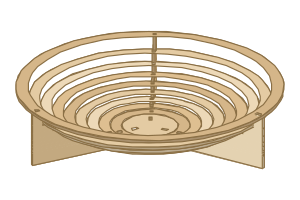 Pop-upA flat sheet that opens into a bowl
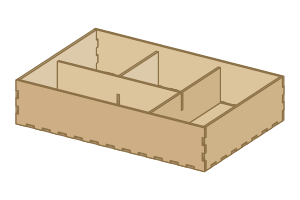 Boxes & PackagingFinger-joint boxes and organisers
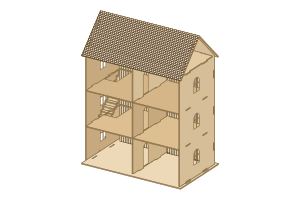 World Miniature StudioTab-fit houses and buildings
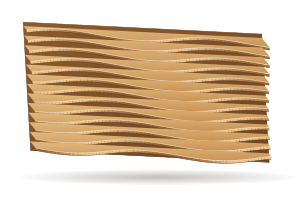 ParametricInterlocking ribs and sliced sculptures
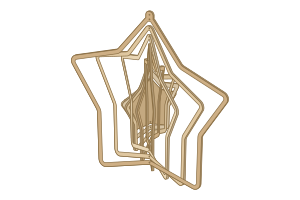 Wind SpinnerNested rings that twist into a spiral
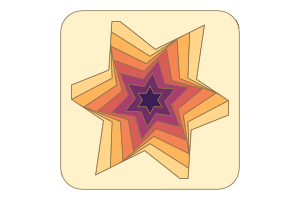 Shadow BoxLayered paper-cut scenes
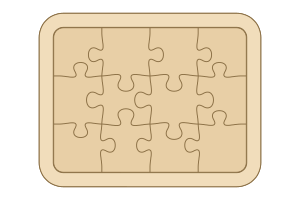 PuzzleInterlocking puzzle pieces
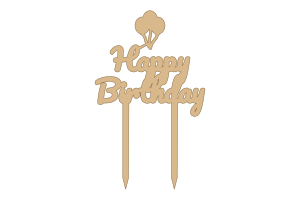 Cake TopperCustom lettering for cakes
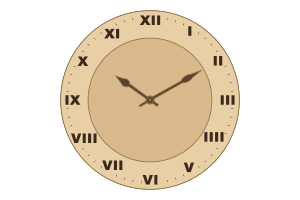 ClockLaser-cut faces and hands
21products, each a generator
1600+ready-made designs to start from
6file formats: SVG, DXF, PDF, LightBurn, PNG and JPG
2ways to work: online or the Windows app
Laser-cut generators
Choose a ready design, adjust it for your material and dimensions, and preview the result. Explore all generators and project guides.
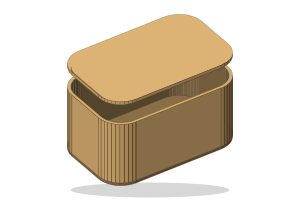 Hinge BoxLiving-hinge boxes, cabinets with doors, chests of drawers and lamp shades, with a bend check.
- Boxes & PackagingFinger-jointed boxes and wooden packaging: gift boxes, sliding and hinged lids, drawers, divided trays, inserts and engraved branding.
- ParametricSliced sculptures from ready models, wall art, 3D files or text: fins, stacks, waffles and papercraft.
- Shadow BoxLayered 3D paper-cut art from geometric patterns or your own picture, for a Cricut or a laser, with over a hundred ready-made designs.
- Pop-upOne flat piece that lifts into a bowl, basket, tree, lampshade or ornament.
- World Miniature StudioDollhouses and buildings from 29 world architectural traditions, book nooks with a light box, and dollhouse furniture at any scale, all slotting together with tabs.
From flat sheet to finished box
Choose a shape, enter your dimensions, and see how the cut pieces fit together.
Try the live generator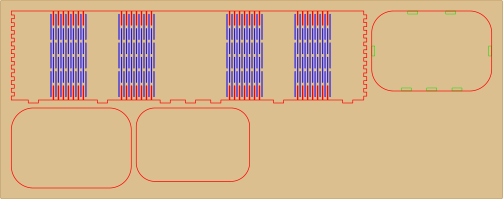
Made for every maker
From a first laser at home to a shop cutting orders every day.
Projects that look professional from your first cut
Start from a ready design, change the size and the words, and cut it. HingeLab handles the joints, the kerf and the layout.
- Hundreds of ready designs to start from
- Checks catch what won't cut, with a one-click fix
- A 3D preview before you use any material
Try it right here
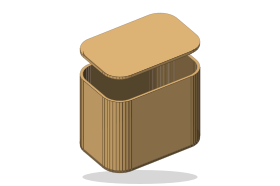
This is the real Hinge Box generator. Change the shape and size, turn the box, and watch the cut file redraw.
140 × 90 × 70 mm, 4 parts on a 568 × 195 mm sheet of 3 mm birch.
Fits the way you already work
Files come out in millimetres with one colour per operation, so cuts, scores and engraving land on their own layers in your laser software.
- LightBurn
- xTool Creative Space
- Glowforge
- Inkscape
- RDWorks
- Any SVG or DXF program
- Kerf and fit built in
Outlines are offset for your laser's kerf and slots are sized for your sheet, so joints fit the first time.
- Checks with a fix
Thin bridges, loose slots and parts bigger than your bed are flagged, each with a button that fixes it.
- Nested on your sheet
Parts are laid out on your bed size, over as few sheets as possible, ready to cut.
- See it in 3D first
Turn the assembled piece, explode it into parts, and check how it goes together.
Flat sheet in, finished piece out
Every design is one flat file. Select a card to see the sheet your laser cuts.
Plans and pricing
Design and preview for free. Choose a plan when you want to save projects and download cut files.
- Save and export cut files
- Unlimited cloud projects
- All shapes and patterns
- Letters and every tool
- Full parametric sculptures
- Batches of 30
- Sell the items you cut
- Everything in Pro
- Unlimited batches
- Up to 3 devices signed in at once
- Commercial-use license
- Priority support
Everything Pro allows, plus work for clients and selling or sharing the exported files themselves.
Get Business| Feature | Free | Pro | Business |
|---|---|---|---|
| Generator and 3D preview | Included | Included | Included |
| Save and export | — | Clean SVG, DXF, PDF, LightBurn | Clean SVG, DXF, PDF, LightBurn |
| Cloud projects | — | Unlimited | Unlimited |
| Shapes and patterns | Rounded + Straight | All | All |
| Letters and future tools | Preview | Included | Included |
| Parametric sculptures | Library shapes as parallel fins, up to 30 parts (preview) | Your 3D files, photos and formulas, every method | Your 3D files, photos and formulas, every method |
| Batch generation | Up to 5 items (preview) | Up to 30 items | Unlimited |
| License | Designing and previewing for personal use. Free has no downloads. | Personal use, and selling the physical items you cut from your exports. | Everything Pro allows, plus work for clients and selling or sharing the exported files themselves. |
Learn and get help
Guides for every product, setting and export.
- All laser-cut generators
Choose a project and compare the generators
Read more - Laser design software
Design online or with the Windows app
Read more - Prepare your laser files
SVG, DXF, cut, score and engraving explained
Read more - Help centre
Every product, setting and export
Read more - Kerf and fit
Measure your laser for joints that fit
Read more - Laser cutting glossary
Kerf, living hinge, finger joints and more
Read more - Laser cut files
Templates made to your size
Read more - Works with your laser
LightBurn, xTool, Glowforge, Cricut
Read more - About HingeLab
What it makes and how it works
Read more
Start your next project today
One account works on the website and in the Windows app: your plan, your saved projects and your exports.
Download HingeLab for Windows · version 1.39.46, 15.5 MB, Windows 10 and 11 (64-bit)