Laser cut box generator
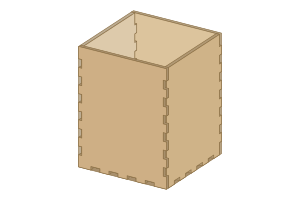
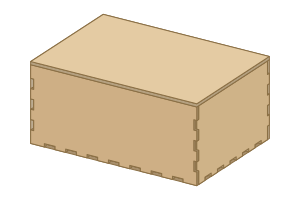
Generate finger-joint (box joint) boxes for laser cutting: plain boxes, gift and wine boxes, sliding-lid and hinged-lid boxes, drawers, divided trays and inserts. Enter the inside or outside size and the sheet thickness; tabs, slots and kerf are worked out so the box fits together tight.
Free can preview this generator. Saving and exporting still need Pro.
154 built-in presets.
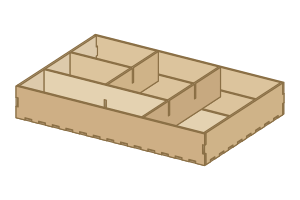
Presets
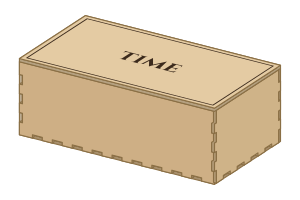
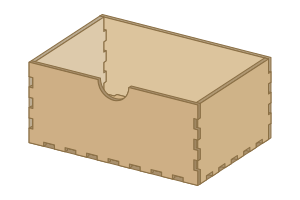
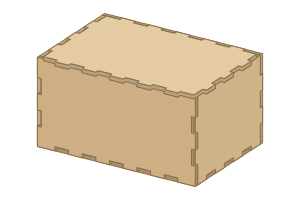
How to use it
- Open the generator and pick a preset, or start from the defaults.
- Set the size, material thickness and kerf. Run the checks before you cut.
- Look at the sheet and the 3D view. Export is available on Pro.
Files for your laser
Prepare SVG and DXF files for cut, score and engrave operations.
Download SVG, DXF, PDF, PNG and LightBurn (.lbrn2), sized in millimetres or inches, with cut, score and engrave lines on separate colours. Materials: plywood (birch, basswood, poplar), MDF, solid wood, acrylic (cast and extruded), cardboard, paper and cardstock, leather and felt.
- LightBurn: Open the .lbrn2 file with separate cut, score and engrave layers, or import SVG or DXF. Review speed and power for your machine and material before running the job.
- xTool Studio and Creative Space (XCS): Import an SVG or DXF, check the dimensions and assign the coloured paths to cutting, scoring or engraving. Choose settings for your xTool machine and material in its software.
- Glowforge: Upload the SVG or PDF; each operation is its own colour, so the Glowforge app lists cut, score and engrave steps.
- Cricut Design Space: Upload the SVG for paper layers, cards, pop-ups and shadow boxes cut on a Cricut Maker or Explore.
- Inkscape, Illustrator and CorelDRAW: Open the SVG, PDF or DXF to edit further; lines keep their real size in millimetres or inches.
- Other CO2, diode and fiber lasers: OMTech, Thunder Laser, Epilog, Trotec, Ortur, Atomstack, Creality Falcon, Sculpfun and others: use DXF or SVG in the machine's own software.
Machines and software HingeLab works with · Laser cutting glossary · Laser cut files and templates
Questions
How is this different from MakerCase or boxes.py?
It sizes the box, joints and kerf the same way, and adds lids, drawers, dividers, engraving, a 3D preview, fit checks and nesting on your sheet in one place.
Can I size the box from the inside?
Yes. Choose inside or outside dimensions; the material thickness is added for you so what you put in fits.
Is the box generator free?
You can design and preview for free in your browser, with nothing to install. Saving projects and downloading the cut files are part of HingeLab Pro.
Which file formats can I download?
SVG, DXF, PDF, PNG and LightBurn (.lbrn2). Cut, score and engrave lines are on separate colours and layers.
Does it work with my laser?
Yes. The files open in LightBurn, xTool Creative Space, the Glowforge app, Inkscape, Illustrator and CorelDRAW, and work with CO2, diode and fiber lasers.
Material, thickness and kerf
Material presets fill in a typical thickness and kerf, and pick how the 3D view looks (plywood, MDF, card or acrylic). Changing either number switches the preset to Custom.
Measure the sheet with calipers in a few places. Sheet sold as 3 mm is often 2.7 to 3.2 mm, and slots cut for the wrong thickness are loose or will not close.
Checks and Auto-fix
Checks appear under Analysis (Bend Analysis for the Hinge Box). Red rows stop the design from being built, amber rows will probably not cut or assemble well, and notes are worth knowing.
Applies the safe fixes one at a time, worst problem first, and checks again after each. It is one undo step.
Layers and export
Layers are written in cut order: inner cuts first, then the hinge, then the outline, so parts do not move before they are finished.
More generators for your next project
- Hinge Box — Living-hinge boxes: rounded, pill, polygon or cylinder, with lids.
- Gift box — Finger-joint boxes with a lift-off, sliding or pin lid, sized from the inside.
- Phone and tablet stand — A slot-together stand with a lean angle, from the Boxes generator.
- Photo frame — A frame with a photo slot, a stand or a hanger.